One project
Start here for a focused repository. The current folder sets the project scope. To choose a different one, change folders first, or run articulate project /path/to/project.
FROM FIRST RUN TO YOUR NEXT CONVERSATION
Choose the work Articulate can learn from. Review what it finds. Decide which agents can use it.
A look at the account-connected preview. Screens below use John Smith, a sample project and simulated account responses. Codes and links are demonstrations. The public npm pilot works locally without an account; hosted sign-in and the updated agent picker are being prepared for a future package release.
Select any screenshot to view it at full size.
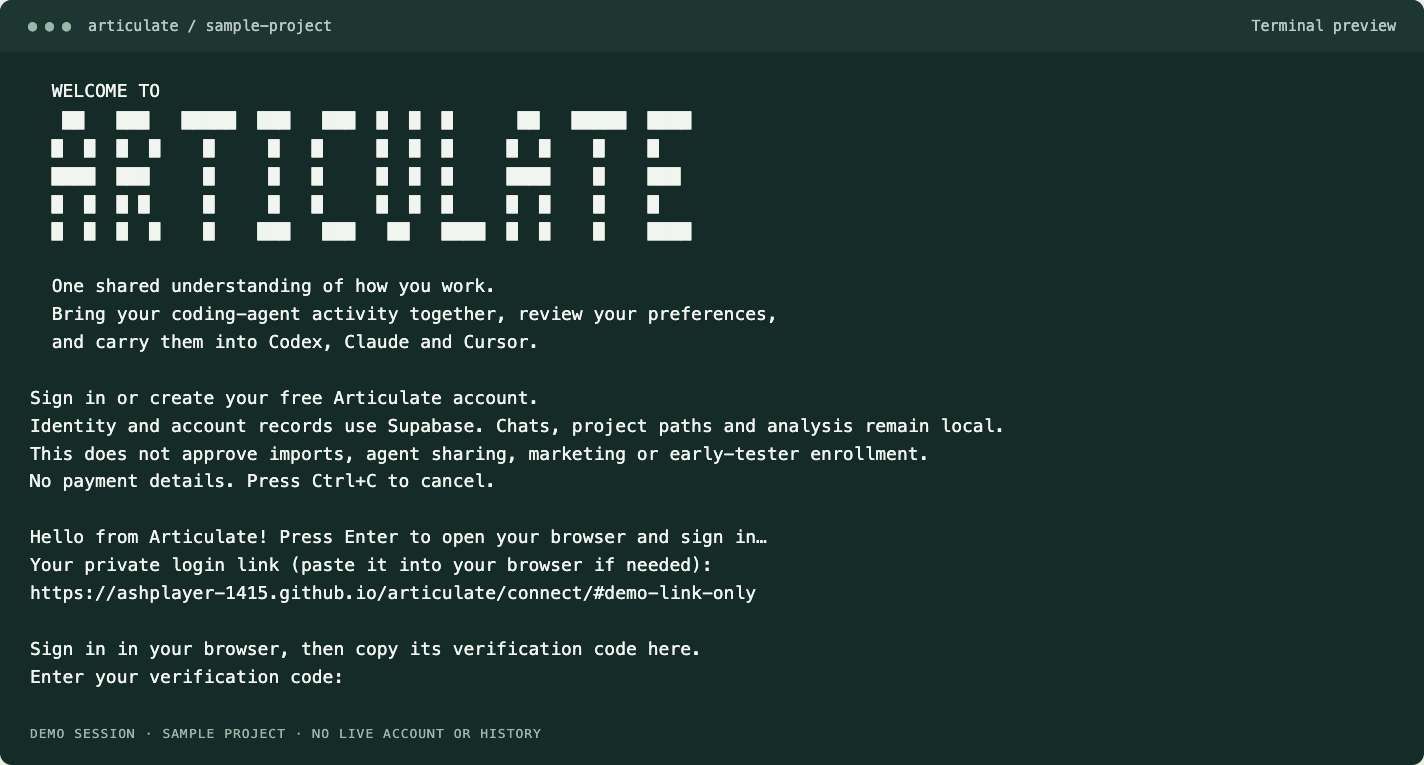
In the account preview, run articulate login. Press Enter when you’re ready to open your browser. If it doesn’t open, paste the private link printed in the terminal into your browser.
The public local pilot starts with articulate. See installation instructions ↗
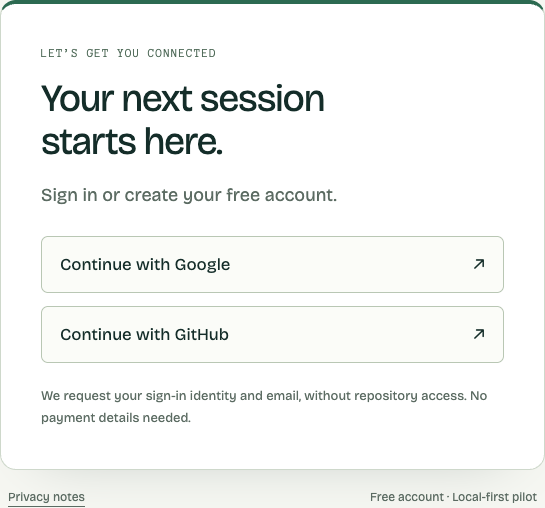
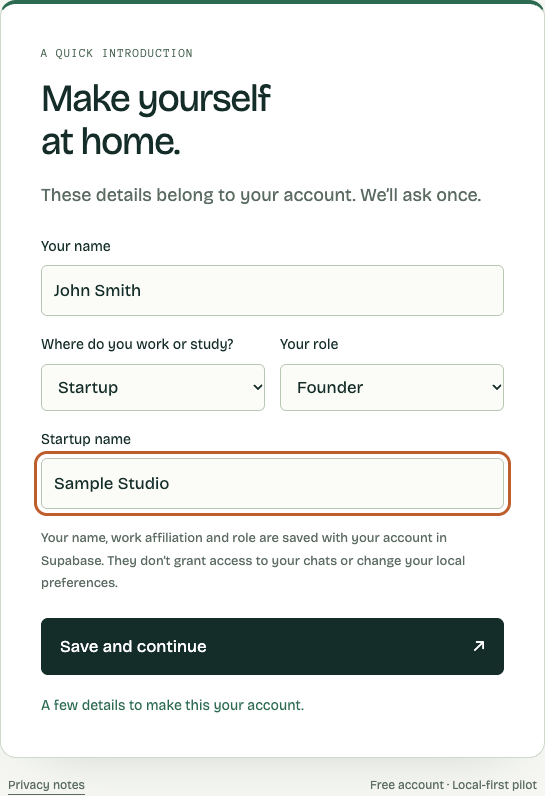
Continue with Google or GitHub. The first time, add your name, work or study setting, and role. Choose Company, School or Startup to enter its name; choose N/A to leave it out.
Those details are saved with your account in Supabase. On later sign-ins to that account, the introduction is skipped and you’re welcomed back.
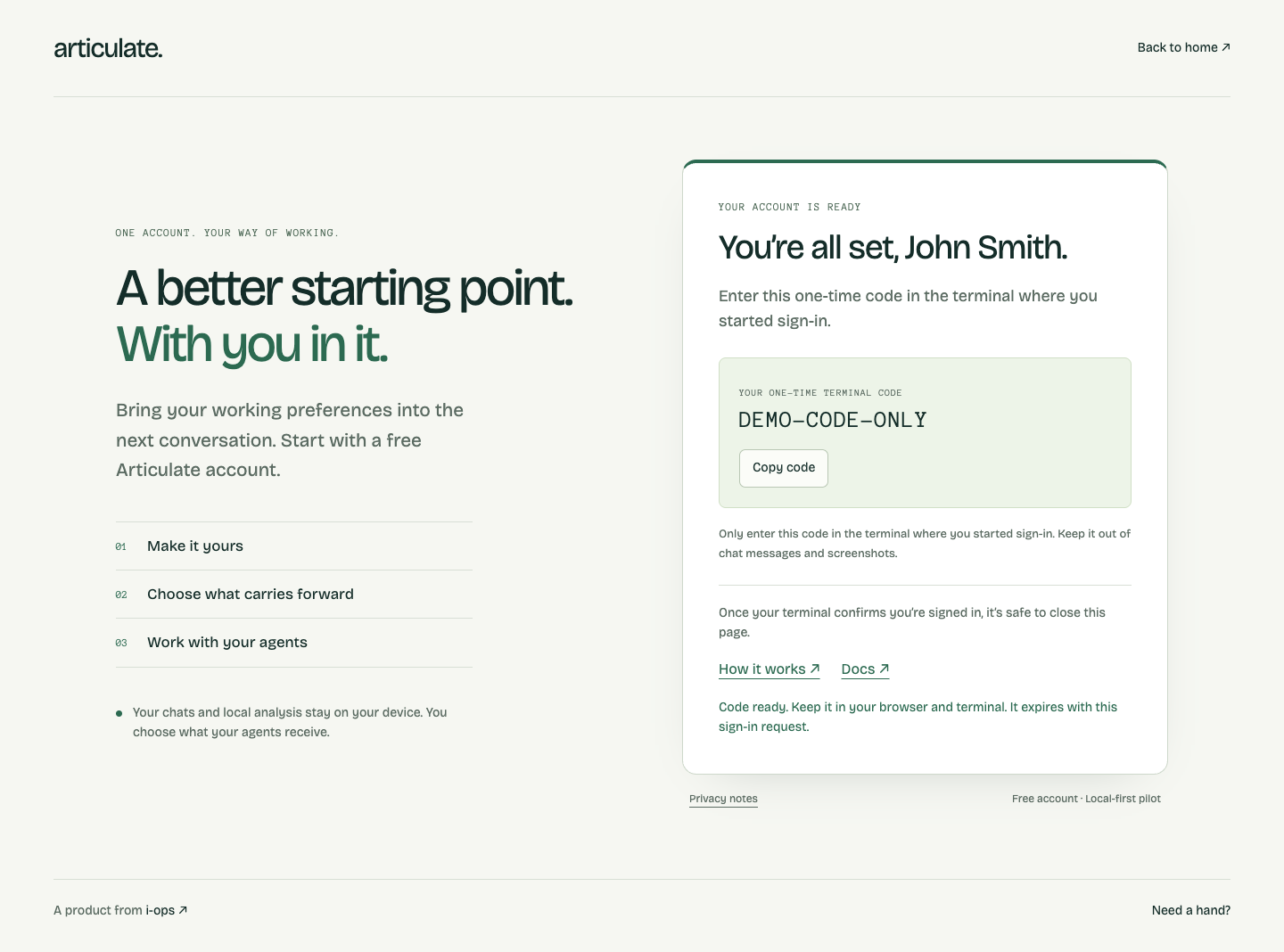
Copy the one-time code from the browser into the same terminal where you started sign-in. Wait for “You are now signed in.” Then it’s safe to close the browser page.
Signing in connects your account. Choosing local history and approving agent sharing come next, as separate decisions.
Run articulate from the project folder you want to work with. Use ↑ and ↓ to move through the menu, then Enter to confirm. Articulate asks before reading local activity.
Start here for a focused repository. The current folder sets the project scope. To choose a different one, change folders first, or run articulate project /path/to/project.
Choose this for patterns across your supported local projects. It covers attributable history on this device; remote-only or deleted conversations may be missing.
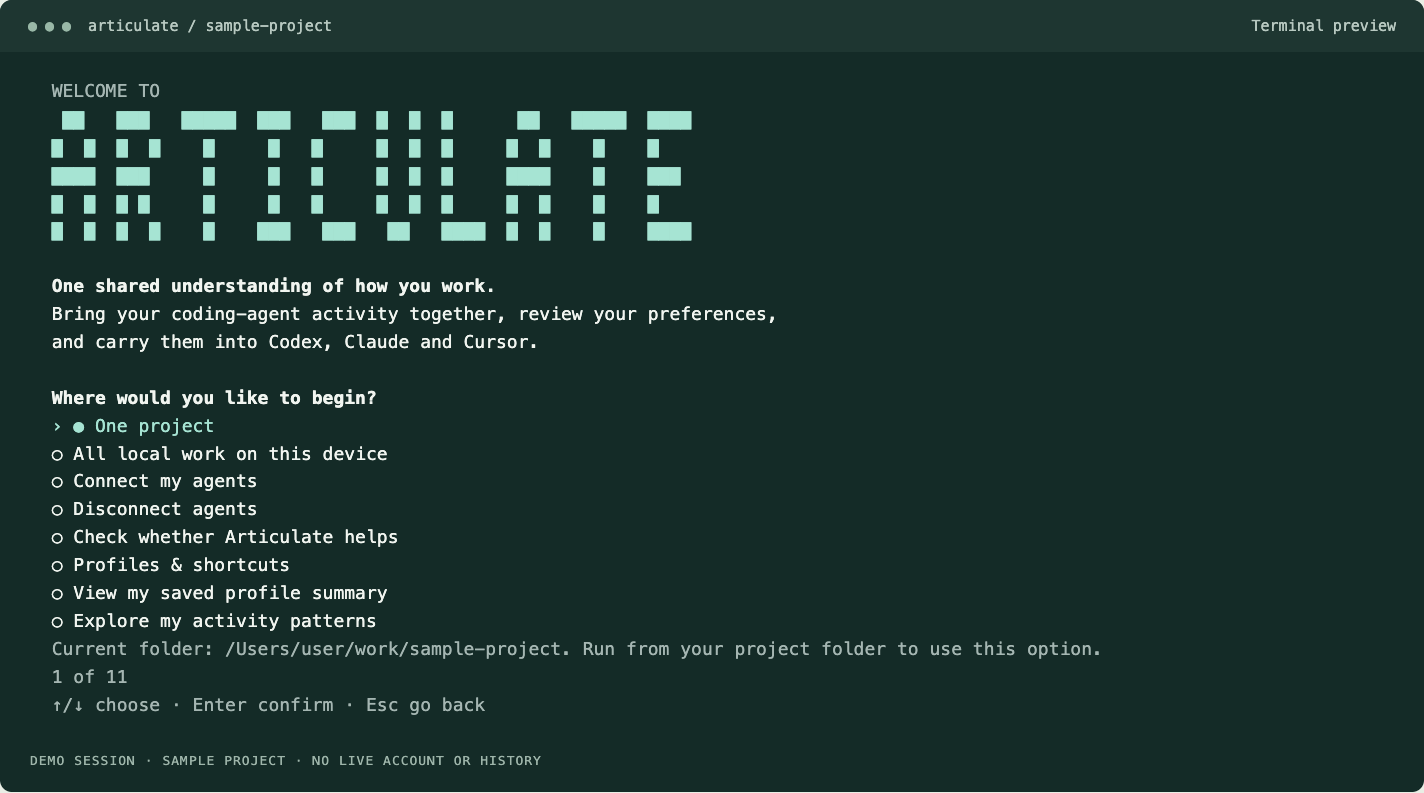
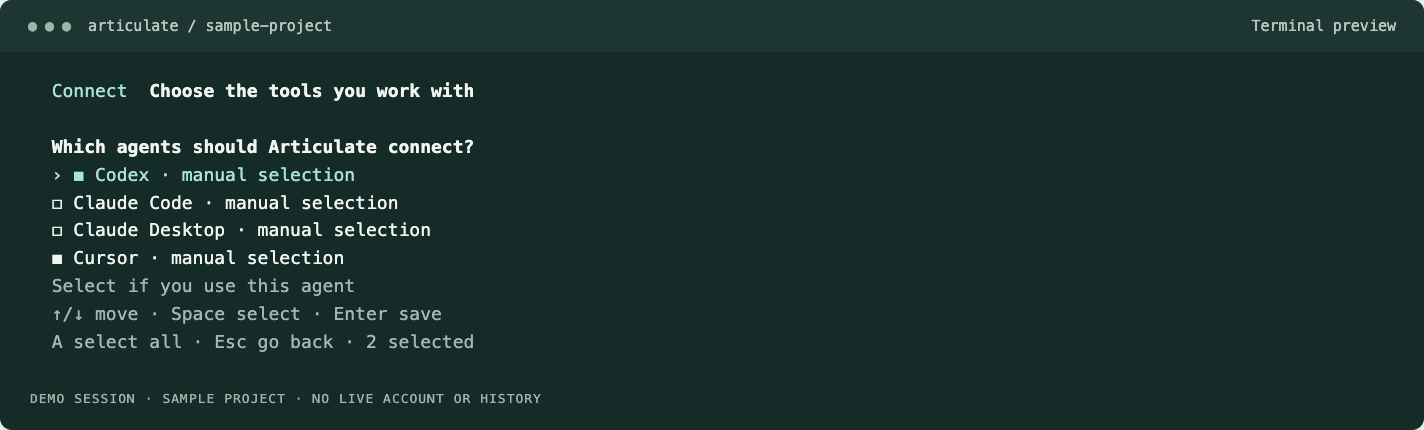
Project scope chooses the work to review. The agent picker chooses which apps to connect. They answer different questions.
In the updated picker, use ↑/↓ to move, Space to select each agent and Enter to save. Choose only the tools you use. Installing a connection and allowing it to read your reviewed preferences are separate prompts; each selected agent has its own sharing approval.
Articulate brings supported local activity together and suggests working preferences. Review them before keeping them. The quick scan finds explicitly stated preferences; deeper interpretation needs a local model.
Once an agent’s connection and sharing are approved, reload its MCP connection and start a new chat. You can manage profiles and shortcuts, revisit sharing, or disconnect agents from the local interface.
The useful test is your own work: does the next explanation need less correction? A saved preference is guidance, not a guarantee of better understanding.
Open the setup docs ↗ Read the privacy notes ↗
For ambitious projects and organization-scale setups: cloud services coming soon.